Prediction Market Contract
The Prediction Market contract sets up a scenario to determine the outcome of a football game between two teams. The contract uses the Equivalence Principle to ensure accurate and consistent decision-making based on the game's resolution data.
# { "Depends": "py-genlayer:latest" }

from genlayer import *

import json
import typing


class PredictionMarket(gl.Contract):
    has_resolved: bool
    team1: str
    team2: str
    resolution_url: str
    winner: u256
    score: str

    def __init__(self, game_date: str, team1: str, team2: str):
        self.has_resolved = False
        self.resolution_url = (
            "https://www.bbc.com/sport/football/scores-fixtures/" + game_date
        )
        self.team1 = team1
        self.team2 = team2
        self.winner = u256(0)
        self.score = ""

    @gl.public.write
    def resolve(self) -> typing.Any:

        if self.has_resolved:
            return "Already resolved"

        market_resolution_url = self.resolution_url
        team1 = self.team1
        team2 = self.team2

        def get_match_result() -> typing.Any:
            web_data = gl.nondet.web.render(market_resolution_url, mode="text")
            print(web_data)

            task = f"""
In the following web page, find the winning team in a matchup between the following teams:
Team 1: {team1}
Team 2: {team2}

Web page content:
{web_data}
End of web page data.

If it says "Kick off [time]" between the names of the two teams, it means the game hasn't started yet.
If you fail to extract the score, assume the game is not resolved yet.

Respond with the following JSON format:
{{
    "score": str, // The score with numbers only, e.g, "1:2", or "-" if the game is not resolved yet
    "winner": int, // The number of the winning team, 0 for draw, or -1 if the game is not yet finished
}}
It is mandatory that you respond only using the JSON format above,
nothing else. Don't include any other words or characters,
your output must be only JSON without any formatting prefix or suffix.
This result should be perfectly parsable by a JSON parser without errors.
            """
            result = (
                gl.nondet.exec_prompt(task).replace("```json", "").replace("```", "")
            )
            print(result)
            return json.loads(result)

        result_json = gl.eq_principle.strict_eq(get_match_result)

        if result_json["winner"] > -1:
            self.has_resolved = True
            self.winner = result_json["winner"]
            self.score = result_json["score"]

        return result_json

    @gl.public.view
    def get_resolution_data(self) -> dict[str, typing.Any]:
        return {
            "winner": self.winner,
            "score": self.score,
            "has_resolved": self.has_resolved,
        }
You can check out this code on our GitHub (opens in a new tab)
Deploying the Contract
To deploy the Prediction Market contract, you'll need to initialize the contract state correctly. This will impact how the contract will respond to the game's resolution.
-
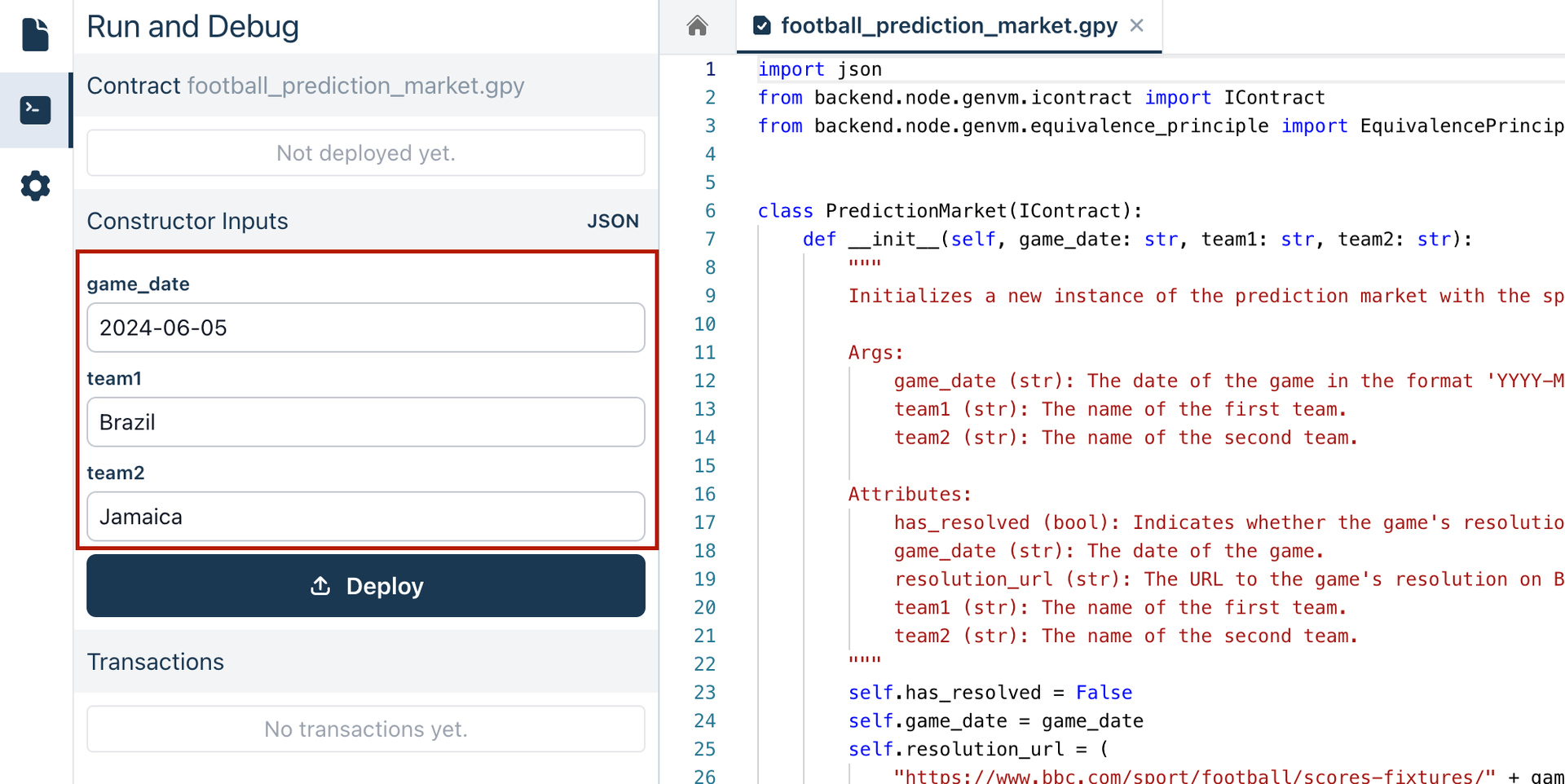
Provide the game date and the names of the two teams. The
game_date,team1, andteam2constructor parameters are automatically detected from the code. For example, you might setgame_dateto "2024-06-05",team1to "Brazil", andteam2to "Jamaica". -
Once the game details are set, deploy the contract to make it ready to interact and resolve the game results.
Checking the Contract State
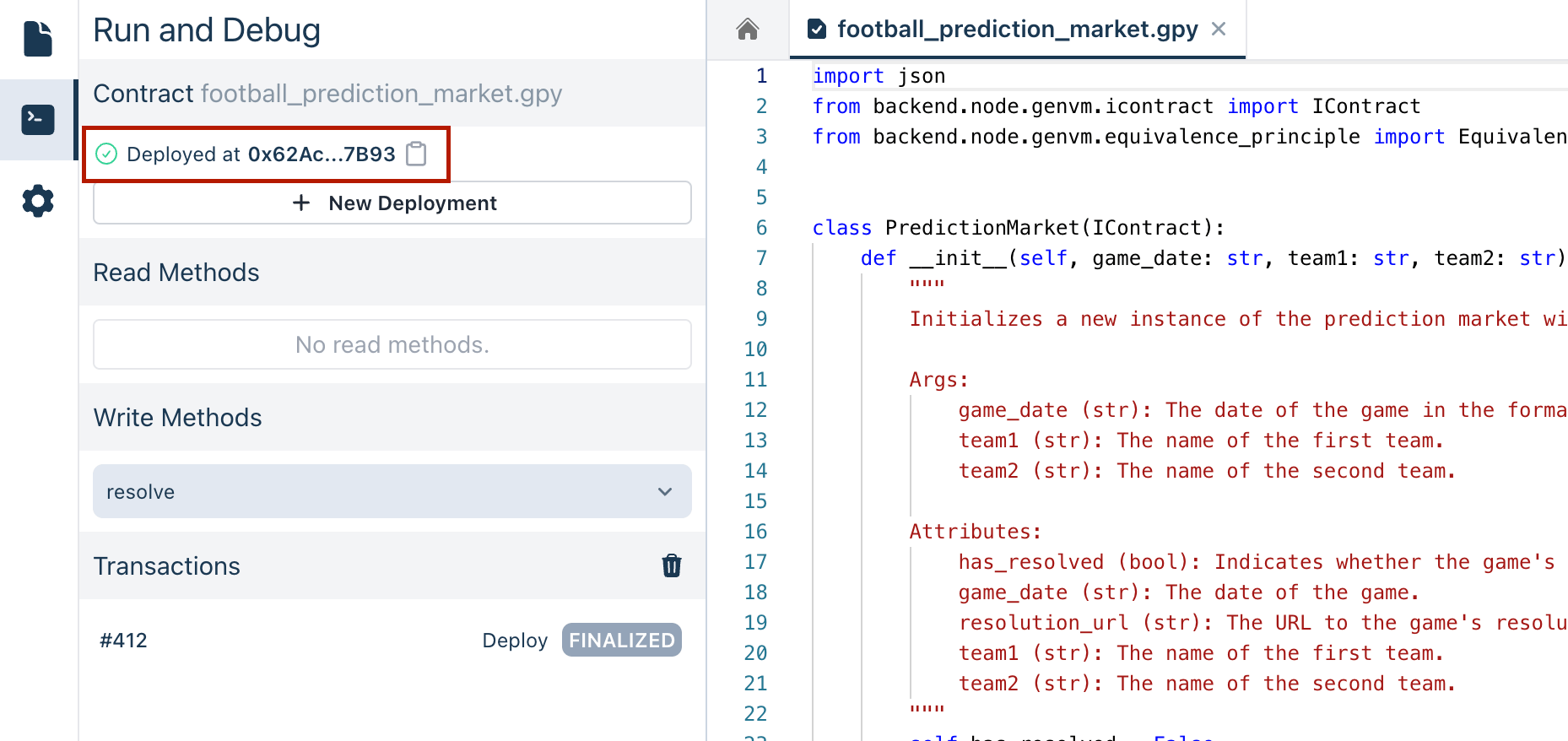
Once the contract is deployed, its address is displayed as well as the Read Methods section. In this case, there are no Read Methods defined.
Executing Transactions
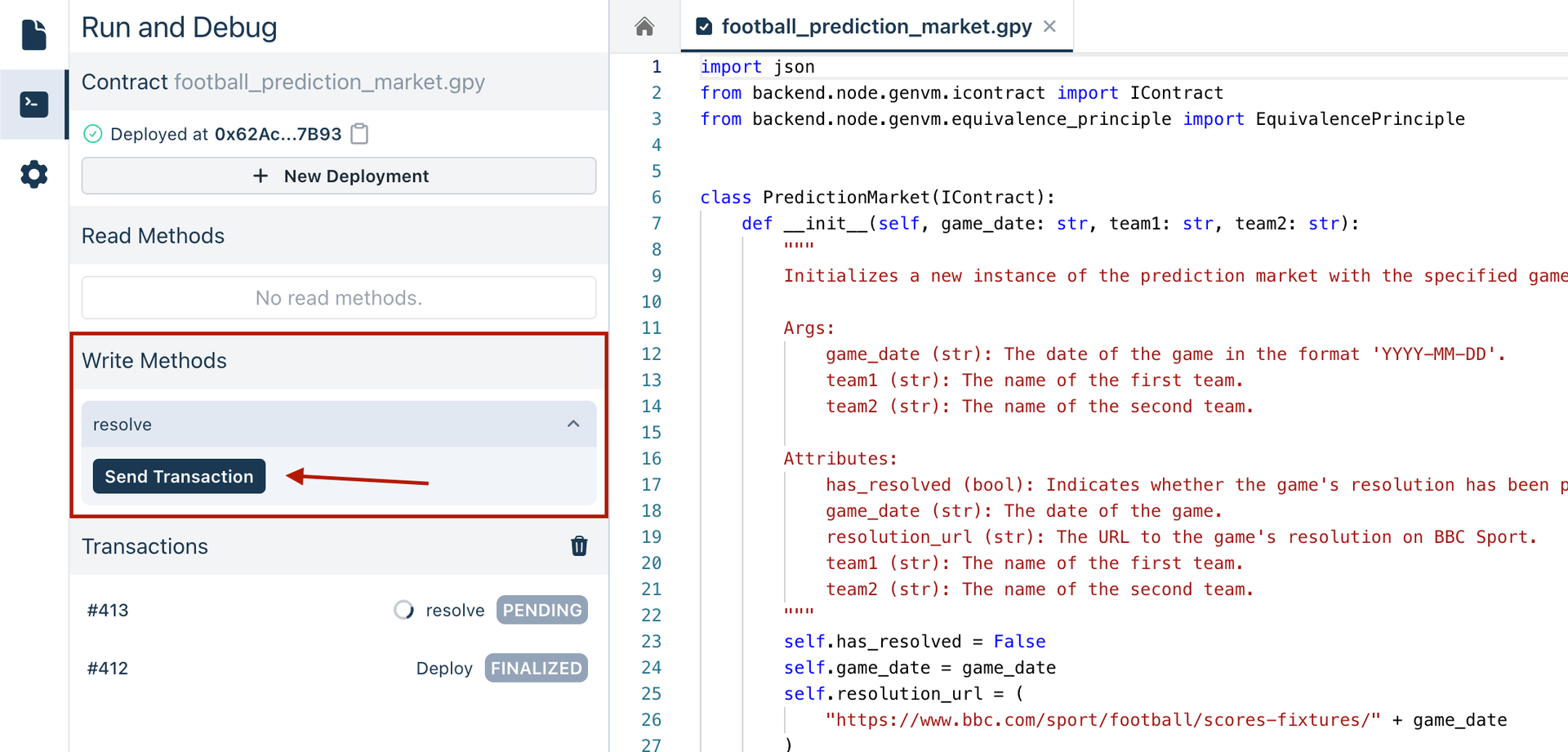
To interact with the deployed contract, go to the Write Methods section. Here, you can call the resolve method to process the game's result. This triggers the contract's logic to retrieve the game's data and determine the outcome based on the Equivalence Principle criteria defined.
Analyzing the Contract's Decisions
When the resolve method is executed:
- The LLM retrieves the game data from the specified URL.
- It validates the game's outcome according to the Equivalence Principle defined in the code.
- Finally, it returns a JSON response that includes the game's score and the winner.
Handling Different Scenarios
- If the game has started but not finished, the JSON response will indicate the game is not resolved yet.
- If the game has finished, the JSON response will include the final score and the winning team.
- If the game hasn't started, the JSON response will indicate this status.
You can view the logs to see detailed information about the contract interaction.